

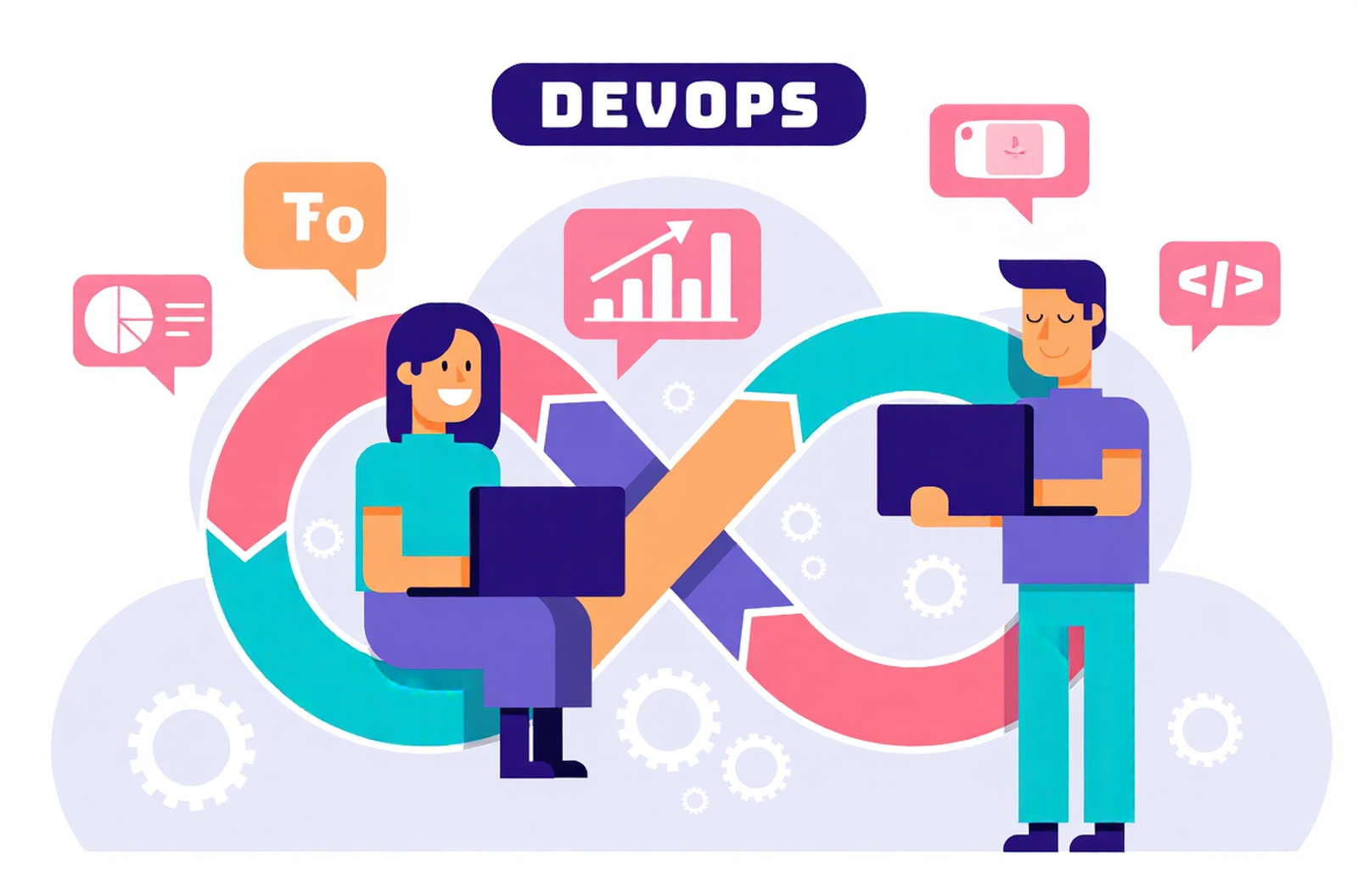
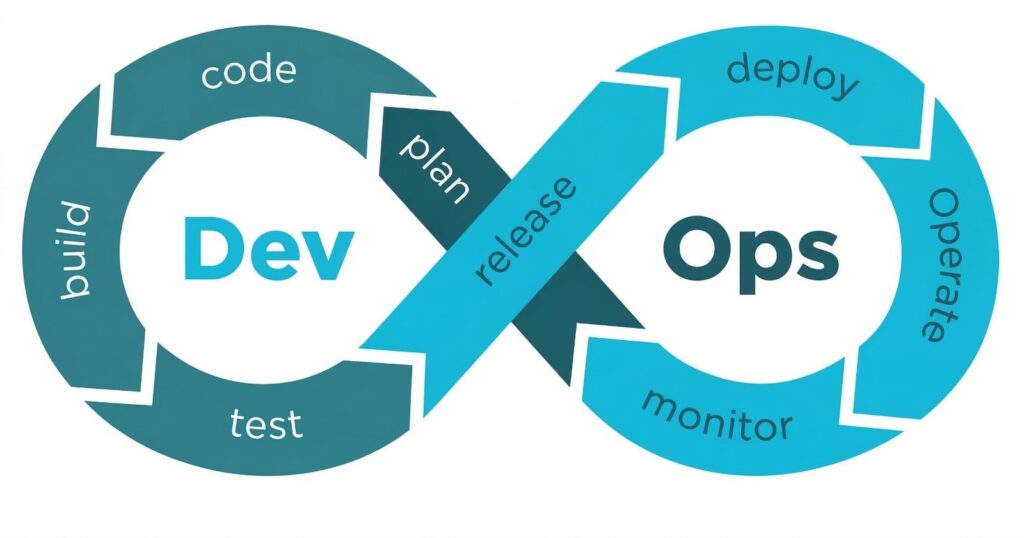
To understand what is DevOps, it is important to first break down the term. DevOps is formed from two words:
Development (Dev) – The process of designing, writing, and building software applications.
Operations (Ops) – The process of deploying, managing, and maintaining software systems. DevOps brings these two teams together so they can work collaboratively across the entire software development lifecycle. Instead of operating in separate departments, developers and operations teams share responsibility for:
- Building applications
- Testing software
- Deploying updates
- Maintaining system performance
This collaborative approach helps organisations deliver software updates faster while maintaining reliability and stability.Professionals who want to develop expertise in this field often pursue a DevOps certification to gain knowledge of automation, cloud technologies, and modern DevOps tools.
How Does DevOps Work?
DevOps works by integrating development and operations processes through automation, collaboration, and continuous feedback. In traditional software development models, developers build applications and then pass them to operations teams for deployment. This process often leads to delays, communication gaps, and deployment issues. DevOps removes this barrier by encouraging teams to collaborate throughout the development lifecycle.
The DevOps approach typically includes:
- Continuous integration of code changes
- Automated testing and deployment
- Continuous monitoring of applications
- Faster feedback between development and operations teams
By implementing these processes, organizations can release new features quickly while maintaining software quality and system stability. Many professional training programs offering DevOps certification focus on teaching these real-world workflows and automation practices.
The DevOps Lifecycle
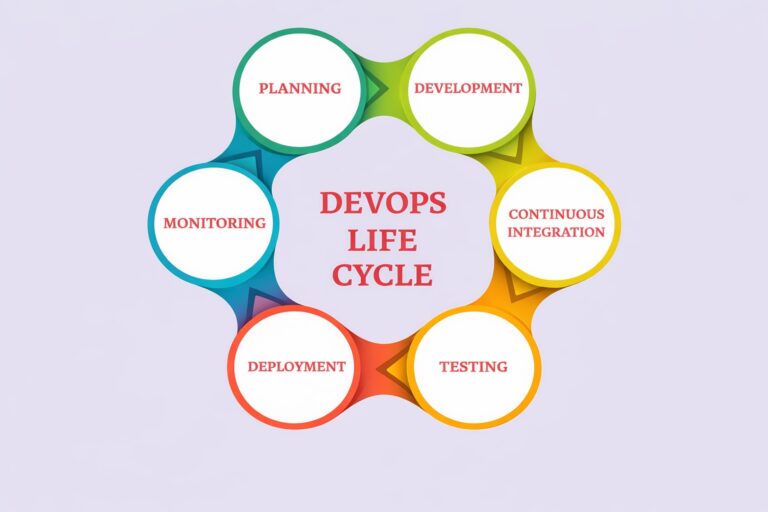
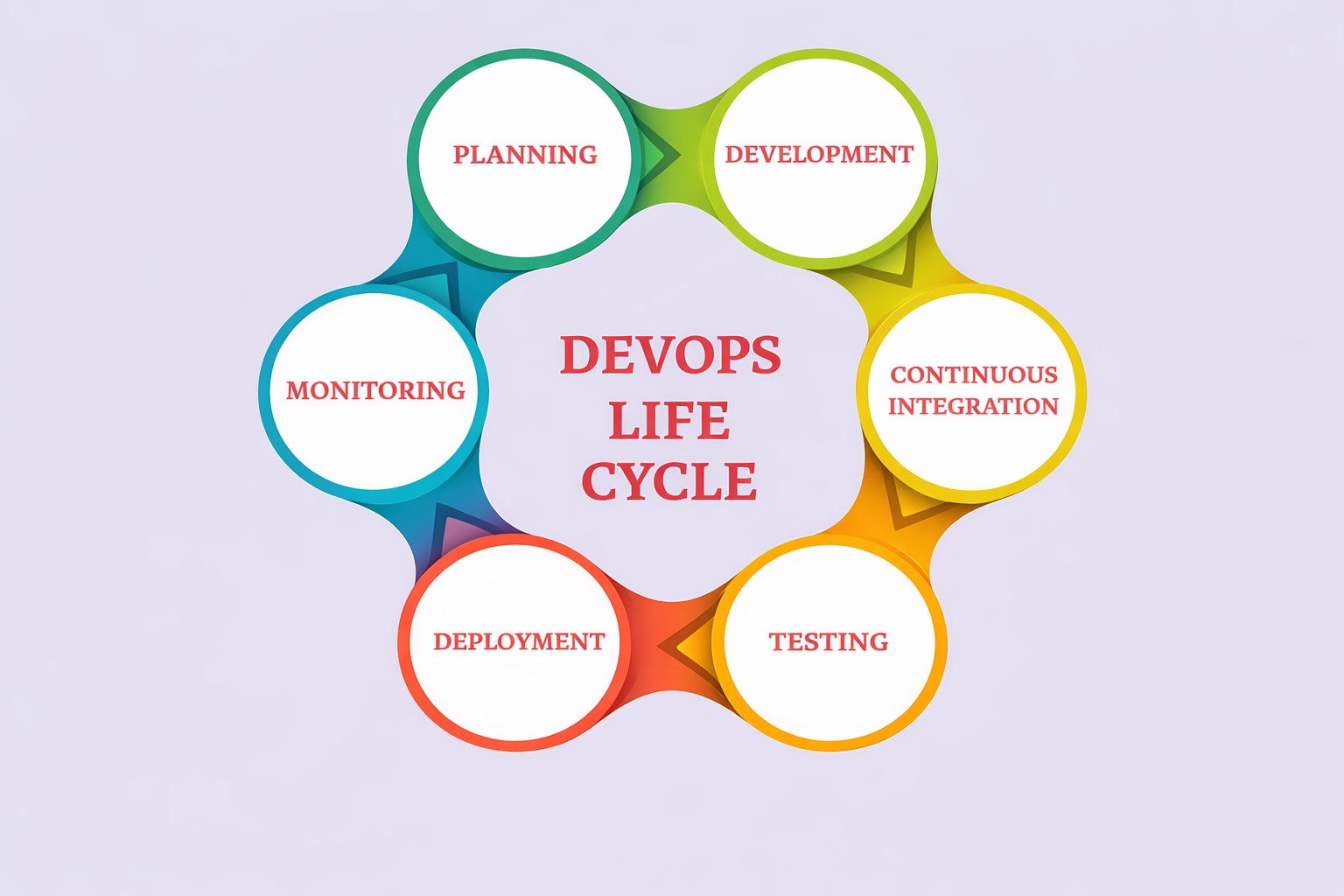
The DevOps lifecycle represents the stages involved in developing, testing, deploying, and maintaining software using DevOps practices. Understanding this lifecycle is essential for anyone learning how modern software development works.
1. Planning
Teams define project goals, requirements, and development tasks before starting the project.
2. Development
Developers write code and create new application features.
3. Continuous Integration
Code changes are merged into a shared repository and automatically tested.
4. Testing
Automated tests verify that the application works properly and meets quality standards.
5. Deployment
The application is deployed to staging or production environments.
6. Monitoring
Teams continuously monitor system performance, security, and reliability after deployment.
DevOps Tools
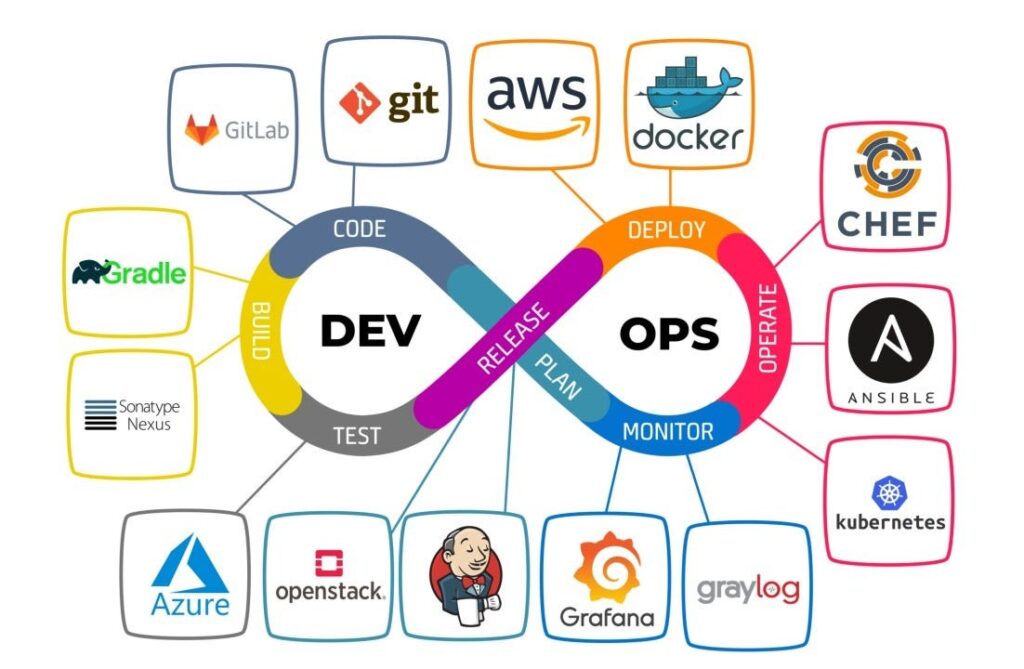
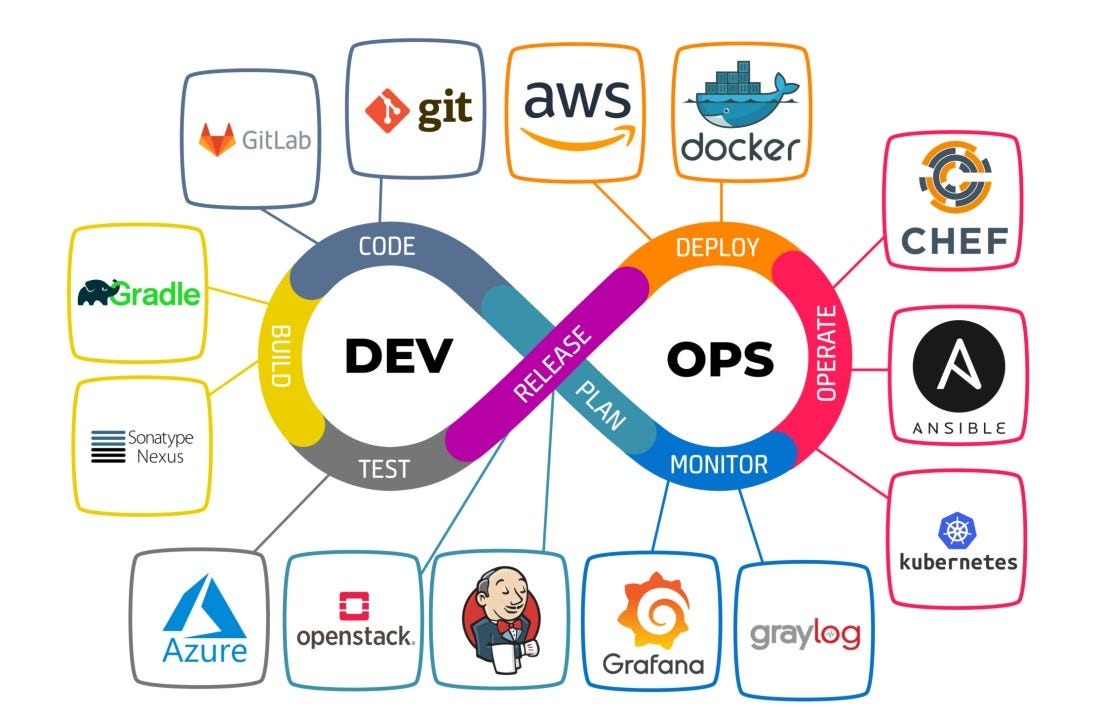
DevOps relies on several tools that automate development, testing, deployment, and monitoring processes. Some commonly used DevOps tools include:
Version Control Tools
Git, GitHub, and GitLab help teams manage source code and track changes.
CI/CD Tools
Tools such as Jenkins, GitHub Actions, and GitLab CI/CD automate builds and software deployment.
Configuration Management Tools
Ansible, Puppet, and Chef help automate infrastructure configuration.
Containerization Tools
Docker packages applications into containers, while Kubernetes manages containers at scale.
Monitoring Tools
Prometheus, Grafana, and cloud monitoring platforms track application performance. Learning how to work with these tools is an important part of any DevOps certification program.
Benefits of DevOps
Organizations that adopt DevOps practices experience several advantages.
Faster Software Delivery
DevOps allows teams to release updates more frequently and efficiently.
Improved Collaboration
Development and operations teams work together rather than operating in silos.
Higher Software Quality
Automated testing identifies issues early in the development cycle.
Better System Reliability
Continuous monitoring helps maintain system performance and stability.
Increased Efficiency
Automation reduces manual tasks and increases overall productivity. Because of these benefits, companies across many industries are investing in DevOps and actively hiring professionals with DevOps certification skills.
Challenges of Adopting DevOps
While DevOps provides many benefits, organizations may also face certain challenges when adopting it.
Cultural Resistance
Teams used to traditional workflows may resist collaboration and shared responsibilities.
Skill Gaps
Organizations may struggle to find professionals who understand DevOps tools and processes.
Tool Integration
Integrating multiple DevOps tools into a unified workflow can sometimes be complex.
Security Concerns
Security must be integrated into every stage of the development lifecycle. These challenges can be overcome through proper training, improved processes, and continuous learning.
How to Adopt DevOps Successfully
Organizations can successfully adopt DevOps by following a structured strategy.
- Encourage collaboration between development and operations teams.
- Implement automation tools to streamline development and deployment.
- Use continuous integration and continuous delivery pipelines.
- Implement monitoring systems to track application performance.
- Invest in training programs and encourage employees to obtain DevOps certification.
By following these steps, organizations can improve productivity, reduce deployment risks, and deliver better software.
Key DevOps Practices
Several core practices form the foundation of DevOps.
Continuous Integration (CI)
Developers frequently merge code changes into a shared repository.
Continuous Delivery (CD)
Automated pipelines prepare applications for deployment.
Infrastructure as Code (IaC)
Infrastructure is managed using code instead of manual configuration.
Automation
Repetitive processes such as testing and deployment are automated.
Monitoring and Logging
Systems are continuously monitored to detect performance issues and improve reliability. These practices help organizations implement DevOps efficiently and maintain scalable software development environments.
Get Started With DevOps
For beginners interested in learning what is DevOps, the best starting point is understanding the basic tools and concepts used in modern DevOps environments.
You can begin by:
- Learning version control systems like Git
- Exploring container technologies such as Docker
- Understanding CI/CD pipelines
- Practicing with cloud platforms
Online courses, hands-on labs, and real-world projects can help you build practical DevOps skills. Many IT professionals also choose to pursue a DevOps certification to gain industry-recognized knowledge and improve their career opportunities.With the increasing demand for DevOps professionals worldwide, developing expertise in automation, cloud technologies, and DevOps tools can open the door to exciting IT career opportunities.
Ready to Build Your Career in DevOps?
Start learning the most in-demand DevOps skills with hands-on training from industry experts at BinaryBrains.
What You Will Learn
✔ CI/CD Pipelines
✔ Docker & Kubernetes
✔ Cloud Platforms (AWS, Azure)
✔ Infrastructure Automation
✔ Real-World DevOps Projects
Take the Next Step
Enroll Now
- DevOps Masters Course
- DevOps Advanced Course
- Book Your Free Demo Class
Start your journey toward becoming a DevOps professional today.
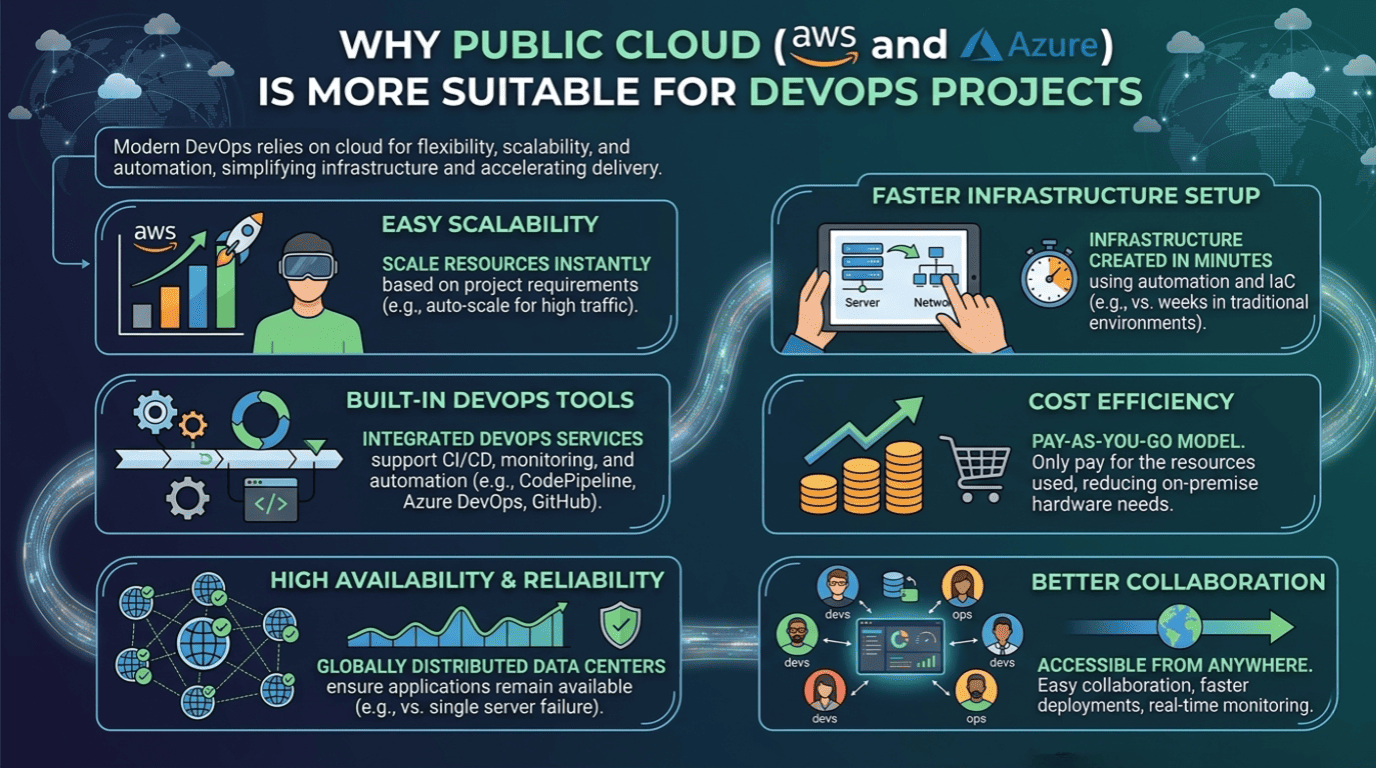
Why Public Cloud (AWS and Azure) Is More Suitable for DevOps Projects
The use of public cloud platforms such as Amazon Web Services and Microsoft Azure is rapidly increasing and becoming a key part of modern DevOps practices. These platforms enable faster development, seamless deployment, and better scalability, making them highly suitable for DevOps projects. Modern DevOps environments rely heavily on cloud infrastructure because it provides flexibility, scalability, and automation capabilities. Public cloud platforms such as Amazon Web Services and Microsoft Azure are widely used in DevOps projects because they simplify infrastructure management and accelerate software delivery.
1. Easy Scalability
Public cloud platforms allow teams to scale resources up or down instantly based on project requirements. For example, if an application experiences high traffic, cloud services can automatically increase computing resources without manual intervention.
2. Faster Infrastructure Setup
In traditional environments, setting up servers can take days or weeks.With cloud platforms like Amazon Web Services and Microsoft Azure, infrastructure can be created within minutes using automation tools and Infrastructure as Code (IaC).
3. Built-in DevOps Tools
Public cloud providers offer integrated DevOps services that support CI/CD pipelines, monitoring, and automation. For example, AWS provides services such as CodePipeline and CodeBuild, while Azure offers Azure DevOps and GitHub integration.
4. Cost Efficiency
Public cloud platforms follow a pay-as-you-go model, meaning organizations only pay for the resources they use.This reduces the need for expensive on-premise infrastructure and hardware maintenance.
5. High Availability and Reliability
Cloud providers offer globally distributed data centers that ensure applications remain available even if one server fails. This improves application reliability and disaster recovery capabilities.
6. Better Collaboration for DevOps Teams
Since cloud platforms are accessible from anywhere, development and operations teams can collaborate easily, deploy updates faster, and monitor applications in real time.