

Introduction
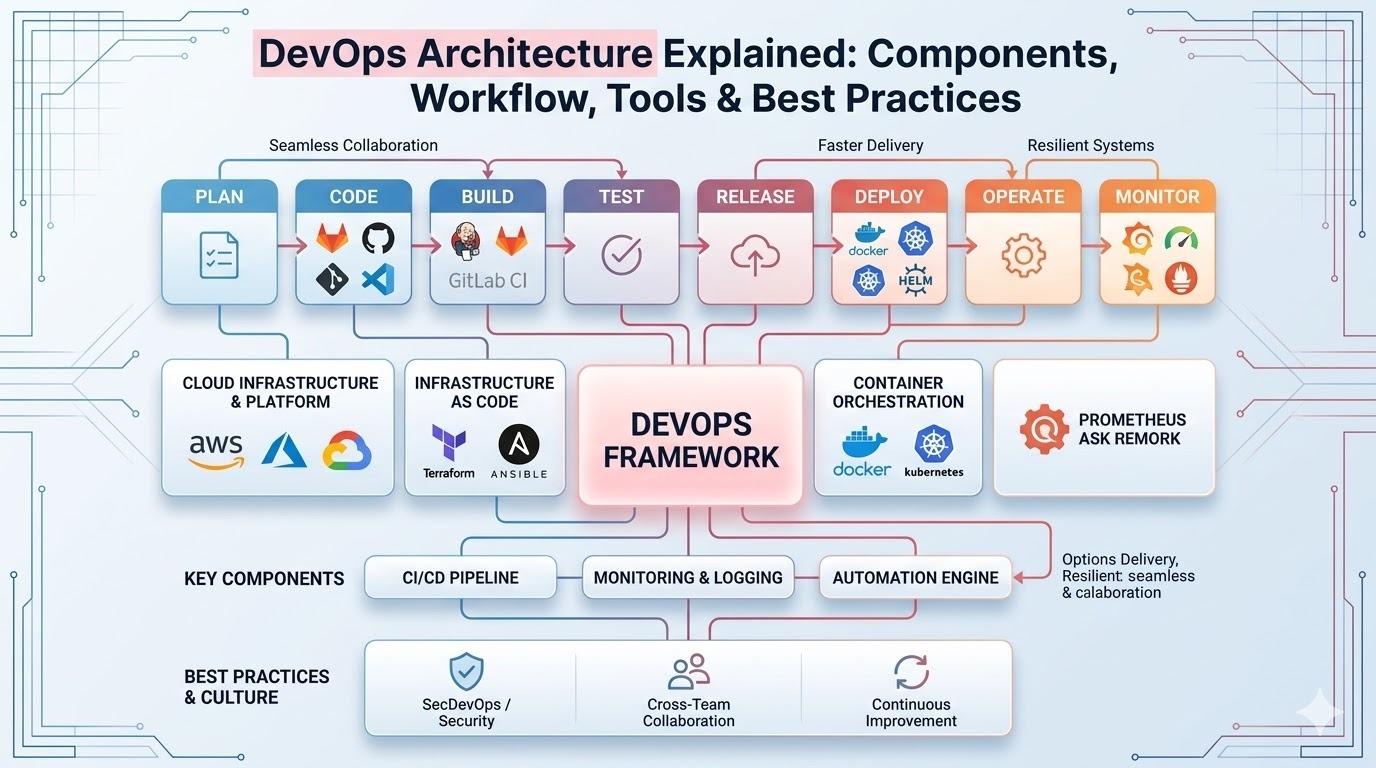
In today’s fast-paced software industry, organizations must deliver applications faster, more reliably, and with better collaboration between teams. Traditional development and operations models often created silos where developers wrote code and operations teams handled deployment and maintenance. This separation slowed down releases and increased the chances of errors. This is where DevOps comes in. DevOps combines development and operations practices to improve collaboration, automate workflows, and deliver software quickly and efficiently. At the heart of this methodology lies DevOps architecture, a structured framework that integrates tools, processes, and teams to enable continuous delivery and improvement.
Understanding DevOps architecture is essential for developers, IT professionals, and organizations that want to adopt modern software delivery practices. In this guide, we will explore what DevOps architecture is, its components, workflow, tools, and best practices,
along with how it works in modern cloud environments
What is DevOps Architecture
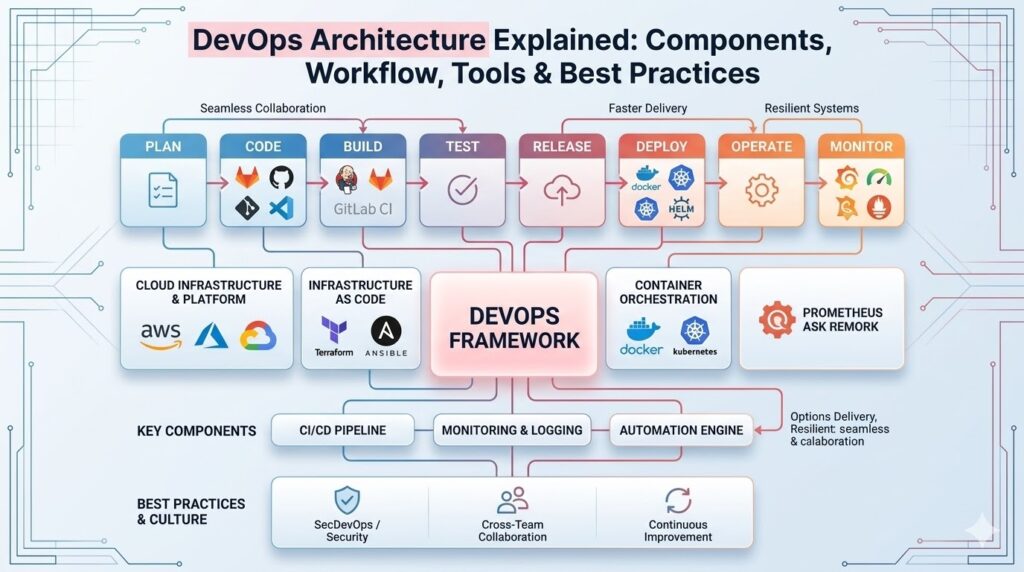
DevOps architecture refers to the structural design that enables seamless collaboration between development, testing, and operations teams. It combines automation tools, monitoring systems, and cloud infrastructure to streamline the entire software development lifecycle. The goal of DevOps architecture is to:
● Automate repetitive tasks
● Improve collaboration between teams
● Enable continuous integration and delivery
● Increase deployment frequency
● Improve software reliability and performance
In a well-implemented DevOps architecture, code moves smoothly from development to
testing and production with minimal manual intervention.
Many organizations today rely on cloud platforms and container technologies like Docker and
orchestration platforms such as Kubernetes to implement modern DevOps workflows.
Why DevOps is Important
Before DevOps became popular, software development followed a traditional model known as the Waterfall approach. In this model, each stage—development, testing, and deployment—was completed sequentially, often causing delays and inefficiencies. DevOps architecture solves these problems by introducing automation and continuous collaboration. Key benefits include:
Faster Software Delivery
With continuous integration and deployment pipelines, teams can release software updates frequently.
DevOps improves collaboration
Developers and operations teams work together instead of in isolated departments.
Better Software Quality
Automated testing ensures bugs are detected early
Scalability
Modern DevOps architecture in cloud computing allows applications to scale automatically based on demand.
Reduced Downtime
Monitoring and automated rollback features minimize system failures.
Because of these advantages, companies like Amazon, Netflix, and Google rely heavily on DevOps practices.
DevOps Architecture Components
To understand DevOps architecture explained clearly, it is important to examine the main components that make the system work efficiently.
1. Source Code Management
Source code management tools help developers store, manage, and track code changes. The most widely used tool is:
● Git
Git allows multiple developers to collaborate on the same project without overwriting each other’s work. Repositories hosted on platforms like GitHub or GitLab maintain version history and enable
collaboration
2. Continuous Integration
Continuous Integration (CI) is the process of automatically merging code changes from multiple
developers into a shared repository.
Each time code is committed, automated tests run to ensure the application works properly.
Popular CI tools include:
● Jenkins
● GitLab CI
● CircleCI
CI helps identify bugs early and ensures that new code does not break the application.
3. Continuous Delivery and Deployment
Continuous Delivery (CD) ensures that code changes can be automatically prepared for release to production.
Continuous Deployment takes this one step further by automatically releasing updates after successful testing. These practices are central to a DevOps pipeline architecture, allowing teams to release
updates quickly and reliably.
4. Configuration Management
Configuration management tools automate system configuration and ensure that infrastructure environments remain consistent.
One widely used tool is:
● Ansible
Configuration management tools ensure that servers and environments are properly configured across development, testing, and production.
5. Infrastructure as Code
Infrastructure as Code (IaC) allows teams to manage infrastructure through code rather than manual processes.
A popular tool used for this purpose is:
● Terraform
IaC improves efficiency and ensures environments can be recreated quickly and reliably.
6. Containerization
Containerization packages applications and their dependencies into lightweight containers that
run consistently across environments.
One of the most widely used tools is:
● Docker
Containers eliminate compatibility issues and allow applications to run seamlessly across
development, testing, and production environments.
7. Container Orchestration
When applications use multiple containers, orchestration tools manage container deployment, scaling, and networking. A leading container orchestration platform is:
● Kubernetes
Kubernetes ensures applications remain available and scalable even under heavy workloads.
8. Monitoring and Logging
Monitoring tools track application performance and system health in real time. These tools help detect issues before they impact users.
Examples include:
● Prometheus
● Grafana
● ELK Stack
Monitoring is a critical element of DevOps best practices.
DevOps Workflow Architecture
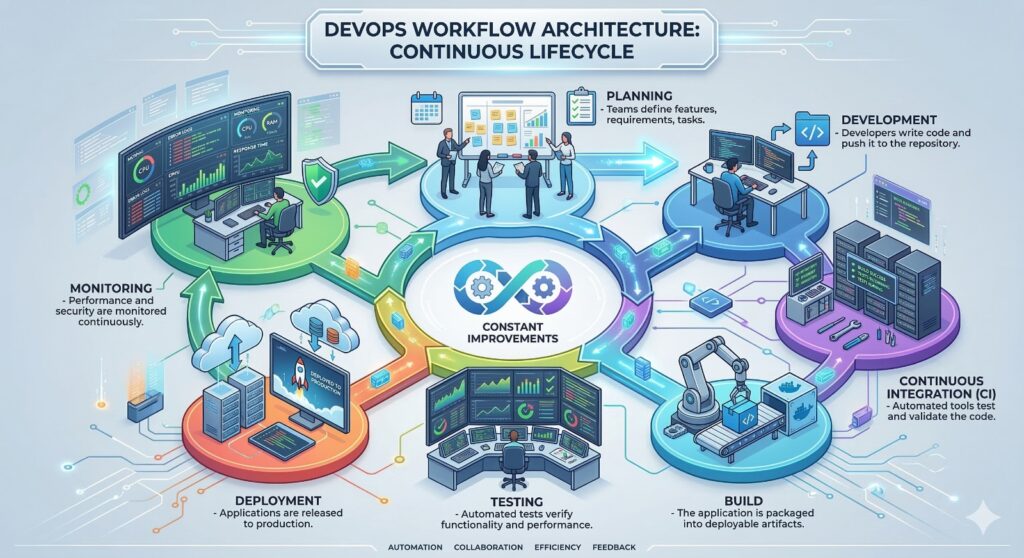
Understanding DevOps workflow architecture helps visualize how different processes connect in the DevOps lifecycle. The DevOps workflow typically follows these stages:
Planning
Teams define features, requirements, and tasks.
Development
Developers write code and push it to the repository.
Continuous Integration
Automated tools test and validate the code.
Build
The application is packaged into deployable artifacts.
Testing
Automated tests verify functionality and performance.
Deployment
Applications are released to production.
Monitoring
Performance and security are monitored continuously. This cycle repeats continuously, ensuring constant improvements
DevOps Architecture Diagram Explanation
A DevOps diagram typically illustrates the entire workflow from code development to deployment and monitoring. Although diagrams may vary, most include the following layers:
1. Development Layer
Developers write and commit code using version control tools.
2. Integration Layer
CI tools build and test the code automatically
3. Deployment Layer
CD tools deploy applications to servers or cloud environments.
4. Infrastructure Layer
Infrastructure management tools configure servers and environments.
5. Monitoring Layer
Monitoring tools track system performance and logs. This structured architecture ensures seamless integration between development and operations teams.
DevOps Architecture in Cloud Computing
Modern DevOps implementations rely heavily on cloud platforms.
DevOps architecture in cloud computing provides several advantages:
Scalability
Cloud platforms automatically scale infrastructure based on demand.
Flexibility
Teams can deploy applications across multiple environments quickly.
Cost Efficiency
Organizations pay only for the resources they use.
Automation
Cloud services integrate easily with CI/CD pipelines. Major cloud providers such as AWS, Microsoft Azure, and Google Cloud offer tools that support DevOps workflows
DevOps Pipeline Architecture
A DevOps pipeline architecture is the automated pipeline that manages the software
development lifecycle.
A typical pipeline includes:
1. Code Commit
2. Build Automation
3. Automated Testing
4. Artifact Storage
5. Deployment Automation
6. Monitoring and Feedback
Automation ensures faster releases while reducing human errors.
DevOps Architecture Best Practices
To successfully implement DevOps organizations should follow certain best practices.
1. Automate Everything
Automation reduces manual errors and increases deployment speed.
Automate tasks such as:
● Testing
● Infrastructure provisioning
● Deployment
● Monitoring
2. Implement Continuous Integration and Delivery
CI/CD pipelines ensure code changes are tested and deployed quickly.This improves software quality and reduces deployment risks.
3. Adopt Infrastructure as Code
Infrastructure should be defined using code rather than manual configurations. IaC ensures consistent environments and easier scalability.
4. Use Containerization
Containers simplify deployment and improve application portability. Using container platforms like Docker and orchestration tools like Kubernetes helps maintain consistency across environments.
5. Monitor Everything
Automation reduces manual errors and increases deployment speed.
Automate tasks such as:
● Testing
● Infrastructure provisioning
● Deployment
● Monitoring
6. Focus on Security (DevSecOps)
Security should be integrated into every stage of the DevOps lifecycle.
Automated security scans help identify vulnerabilities early.
Common Challenges in DevOps Architecture
Despite its advantages, implementing DevOps architecture can present several challenges.
Cultural Resistance
Organizations may struggle to change traditional workflows.
Tool Complexity
Managing multiple DevOps tools can become complicated.
Security Concerns
Improper configuration may expose vulnerabilities.
Skill Gap
Teams may need training to use modern DevOps tools effectively.
Overcoming these challenges requires strong leadership, training, and proper planning.
Future of DevOps Architecture
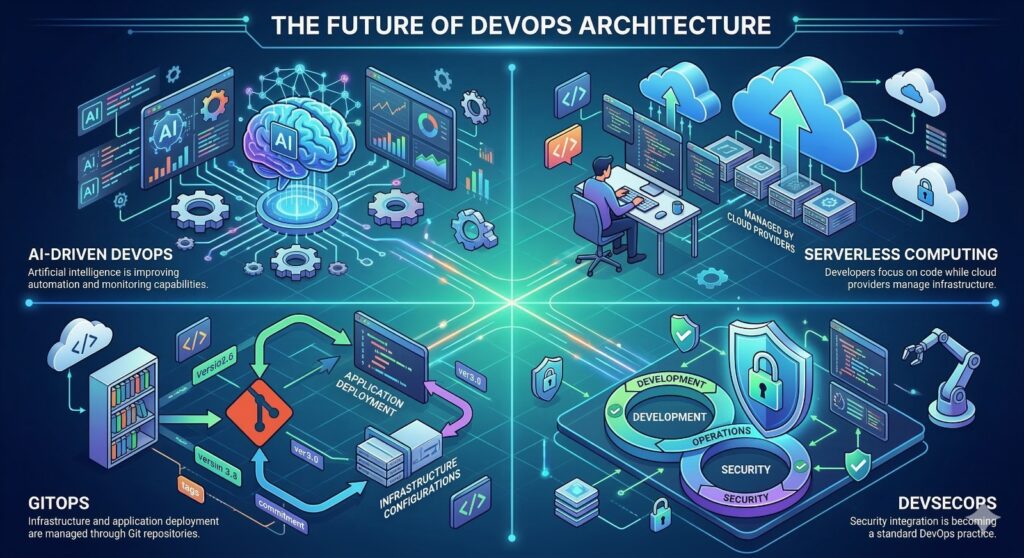
The future of DevOps architecture is closely tied to emerging technologies. Trends shaping the future include:
AI-Driven DevOps
Artificial intelligence is improving automation and monitoring capabilities.
Serverless Computing
Developers focus on code while cloud providers manage infrastructure.
GitOps
Infrastructure and application deployment are managed through Git repositories.
DevSecOps
Security integration is becoming a standard DevOps practice.
These innovations will continue transforming how organizations build and deliver software
Join Our FREE Demo Classes
Conclusion
DevOps has revolutionized modern software development by improving collaboration, automation, and efficiency. A well-designed DevOps architecture enables organizations to streamline workflows, reduce errors, and deliver software faster. By integrating tools for version control, continuous integration, containerization, infrastructure management, and monitoring, DevOps architecture creates a seamless pipeline from development to production. Technologies such as Docker, Kubernetes, Jenkins, Git, Terraform, and Ansible play a crucial role in enabling modern DevOps workflows. As organizations continue adopting cloud computing and automation, DevOps architecture will
remain a critical foundation for delivering scalable, secure, and high-quality applications.
Comments are closed