

Introduction
The DevOps landscape is changing rapidly. Cloud computing, automation, continuous delivery, containerization, and artificial intelligence are becoming increasingly connected, creating new expectations for modern technology professionals.
Traditional DevOps focuses on improving software delivery, infrastructure management, automation, monitoring, and collaboration. However, AI DevOps adds another layer by using Generative AI and intelligent automation to help engineers write scripts, troubleshoot issues, analyze logs, configure infrastructure, and improve operational efficiency.
This shift means that aspiring professionals need more than knowledge of individual DevOps tools. They need a combination of AWS Cloud, DevOps automation, CI/CD, Infrastructure as Code, containers, monitoring, security, and Generative AI.
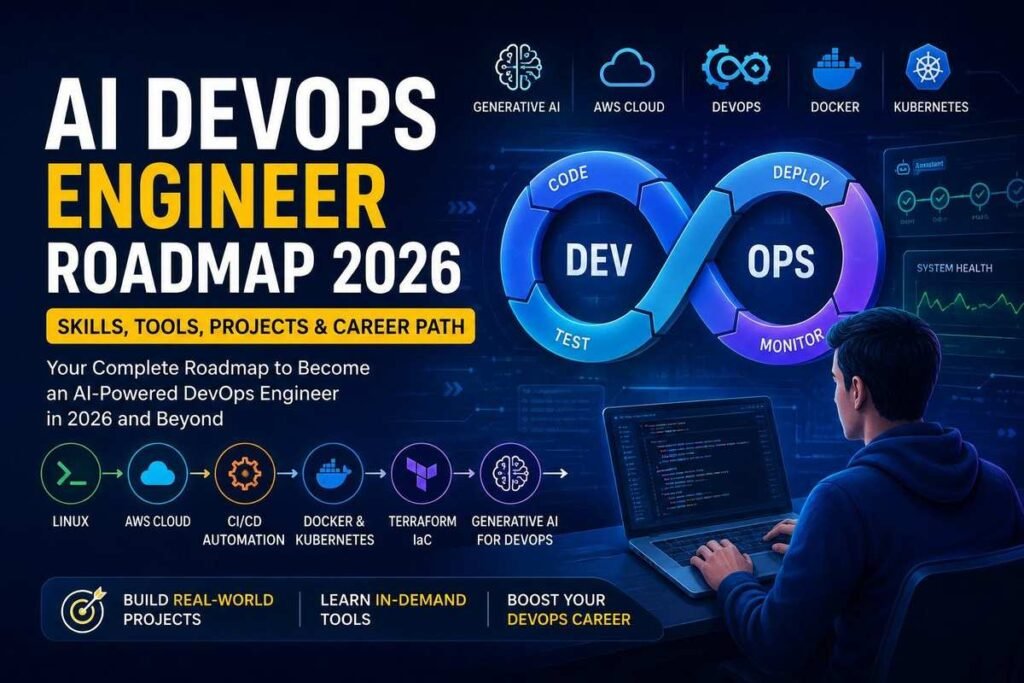
If you are planning your career in this field, the AI DevOps Engineer Roadmap 2026 can help you understand what to learn, which tools to practice, which projects to build, and how these skills can support your career journey.
In this guide, we will explore the skills, technologies, projects, AI tools, career opportunities, and learning path needed to move toward an AI-powered DevOps career.
What Is an AI DevOps Engineer?
An AI DevOps Engineer combines traditional DevOps practices with artificial intelligence and Generative AI tools to improve software delivery, infrastructure management, troubleshooting, monitoring, and automation.
A traditional DevOps engineer may automate a deployment using predefined scripts and pipelines. An AI-enabled DevOps engineer can also use AI tools to generate scripts, analyze errors, suggest configuration changes, review code, interpret logs, and assist with troubleshooting.
For example, Generative AI for DevOps can help engineers:
- Generate infrastructure code
- Create automation scripts
- Build CI/CD pipeline configurations
- Analyze logs and error messages
- Suggest troubleshooting approaches
- Generate technical documentation
- Assist with cloud configuration
- Identify potential optimization opportunities
However, AI does not remove the need for DevOps knowledge. Engineers still need to understand infrastructure, security, networking, cloud architecture, deployment processes, and operational risks before relying on AI-generated recommendations.
Why Is AI Changing DevOps in 2026?
Organizations are under constant pressure to release software faster, improve reliability, reduce downtime, and control infrastructure costs.
AI-powered DevOps workflows can support these objectives by helping engineers automate repetitive work and process large amounts of technical information more efficiently.
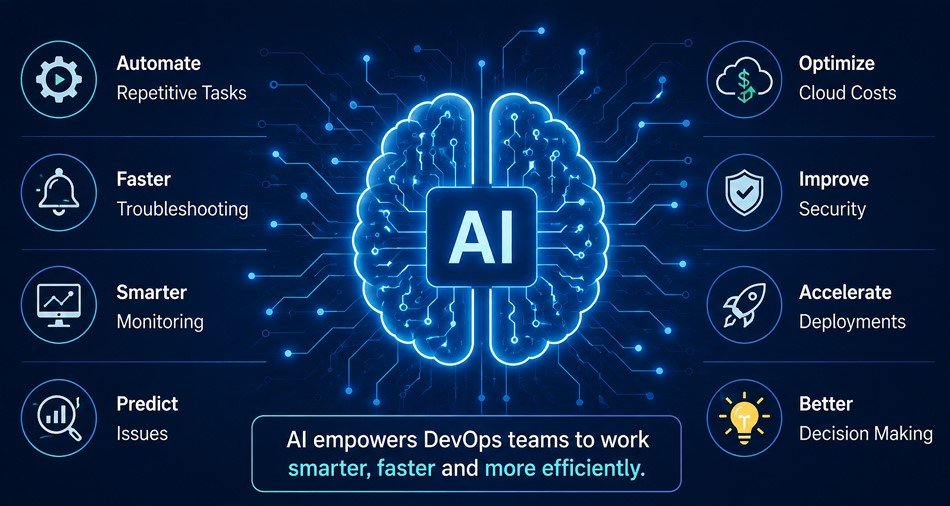
AI can assist DevOps teams with:
- Automating repetitive operational tasks
- Generating code and configuration
- Accelerating troubleshooting
- Analyzing logs
- Improving incident response
- Supporting infrastructure automation
- Optimizing cloud resources
- Improving deployment workflows
Traditional automation follows predefined rules. AI-powered automation can go further by analyzing patterns, identifying anomalies, and providing intelligent recommendations.
For example, AI can support intelligent monitoring, predictive incident management, automated security analysis, and cloud cost optimization.
AI DevOps Engineer Roadmap 2026
Becoming an AI DevOps Engineer is not about learning one AI tool or memorizing a list of DevOps technologies.
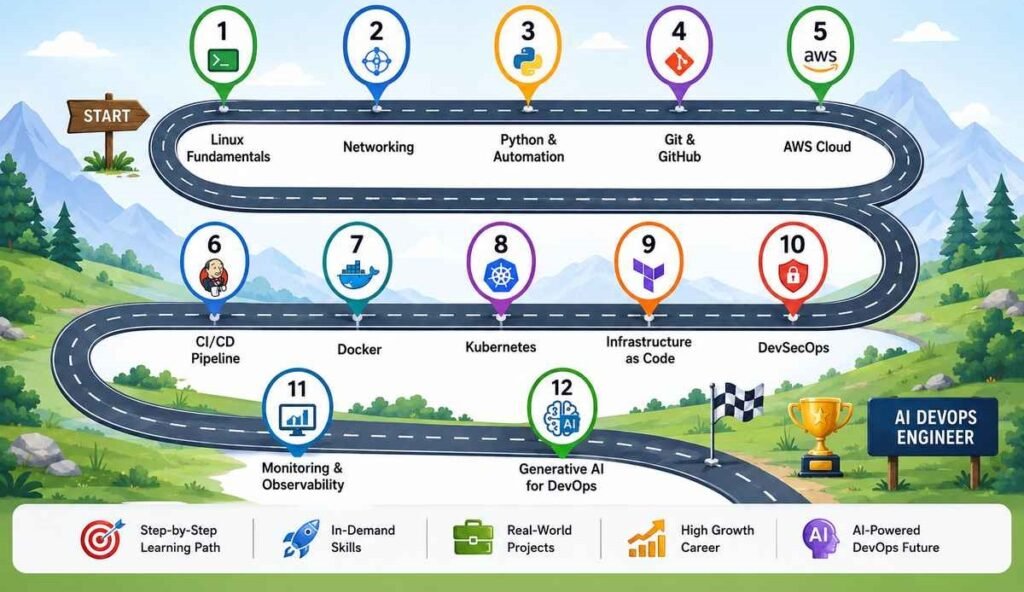
Instead, a strong roadmap should build your skills progressively, starting with technical foundations and moving toward cloud, automation, containers, Infrastructure as Code, observability, and AI-powered workflows.
The following steps provide a practical AI DevOps Engineer Roadmap 2026 for learners who want to build modern cloud and DevOps skills.
Step 1: Learn Linux Fundamentals
Linux is one of the most important foundations for DevOps. Many cloud servers, containers, automation environments, and infrastructure systems rely on Linux.
Start by learning:
- Linux commands
- File systems
- Users and permissions
- Processes
- Services
- Package management
- Shell scripting
- Server administration
A strong Linux foundation makes it easier to understand what happens behind the tools you use later in your DevOps journey.
Step 2: Understand Networking
DevOps engineers regularly work with cloud networks, application servers, containers, load balancers, APIs, and distributed systems. Therefore, networking knowledge is essential.
Focus on:
- IP addressing
- DNS
- TCP/IP
- Ports
- HTTP and HTTPS
- SSL/TLS
- Subnetting
- Firewalls
- Load balancing
Networking knowledge becomes particularly important when working with AWS VPCs, Kubernetes networking, application deployments, and production troubleshooting.
Step 3: Learn Python and Automation
Python is useful for automation, scripting, API interaction, infrastructure management, and repetitive operational tasks.
Learn:
- Python syntax
- Variables and data types
- Conditions and loops
- Functions
- Modules and libraries
- File handling
- Error handling
- APIs
- Automation scripts
Once you understand Python, you can combine it with AI assistants to generate, improve, explain, and troubleshoot automation scripts more efficiently.
Step 4: Learn Git and GitHub
Version control is fundamental to modern software development and DevOps workflows.
Learn how to:
- Create and manage repositories
- Create branches
- Commit changes
- Merge branches
- Resolve conflicts
- Work with pull requests
- Manage collaborative workflows
Git also becomes the foundation for CI/CD and GitOps workflows, where changes in source repositories can trigger automated build, testing, and deployment processes.
Step 5: Master AWS Cloud
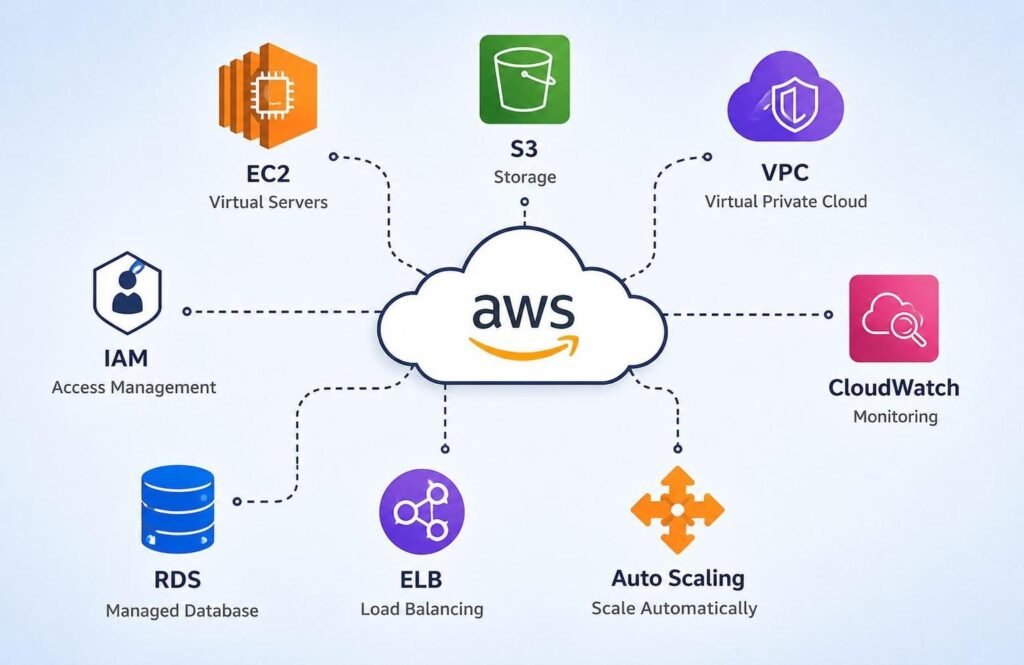
Cloud computing is a major part of modern DevOps. AWS DevOps Training can help learners understand how applications and infrastructure operate in cloud environments.
Important AWS topics include:
- IAM
- EC2
- S3
- VPC
- Elastic Load Balancing
- Auto Scaling
- CloudWatch
- ECR
- ECS
- EKS
- Fargate
You should understand not only what these services do, but also how they work together to support scalable and reliable applications.
For example, an application may run on EC2 or containers, store objects in S3, use a VPC for networking, use a load balancer for traffic distribution, and use CloudWatch for monitoring.
Step 6: Learn CI/CD Automation
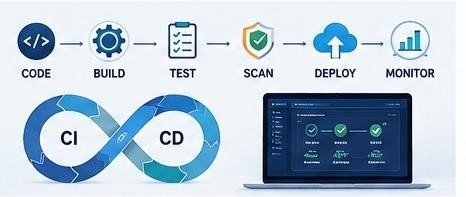
Continuous Integration and Continuous Delivery are central to DevOps because they help teams automate the software delivery lifecycle.
Learn tools such as:
- Jenkins
- GitHub Actions
- GitLab CI/CD
- Azure DevOps
You should understand how code moves through stages such as build, testing, security scanning, packaging, deployment, and monitoring.
AI can further assist by generating pipeline configurations, explaining errors, suggesting improvements, and helping troubleshoot failed pipeline stages.
Step 7: Learn Docker
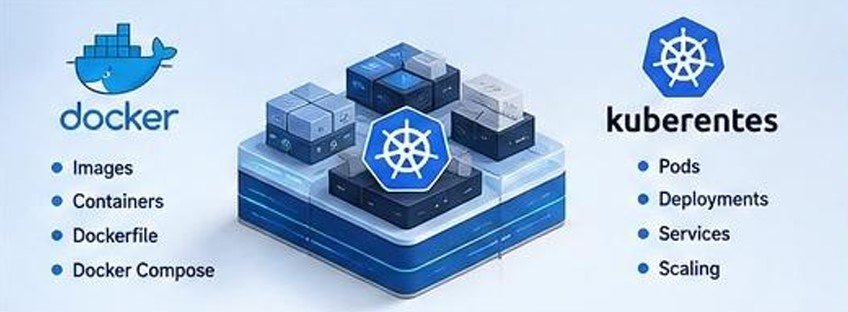
Docker is an important containerization technology used to package applications and their dependencies into portable containers.
Learn:
- Docker images
- Containers
- Dockerfiles
- Docker CLI
- Volumes
- Networking
- Docker Compose
- Container registries
AI assistants can also help generate Dockerfiles, explain Docker commands, identify configuration issues, and suggest improvements to container workflows.
Step 8: Learn Kubernetes
Kubernetes is an important technology for managing containerized applications at scale.
Focus on:
- Pods
- Deployments
- Services
- ConfigMaps
- Secrets
- Storage
- Scaling
- Rollbacks
- Helm
After learning Kubernetes fundamentals, you can move toward managed Kubernetes services such as Amazon EKS.
AI tools can assist with Kubernetes YAML generation, troubleshooting, configuration explanations, and deployment guidance. However, engineers should always verify AI-generated configurations before using them in production environments.
Step 9: Learn Infrastructure as Code
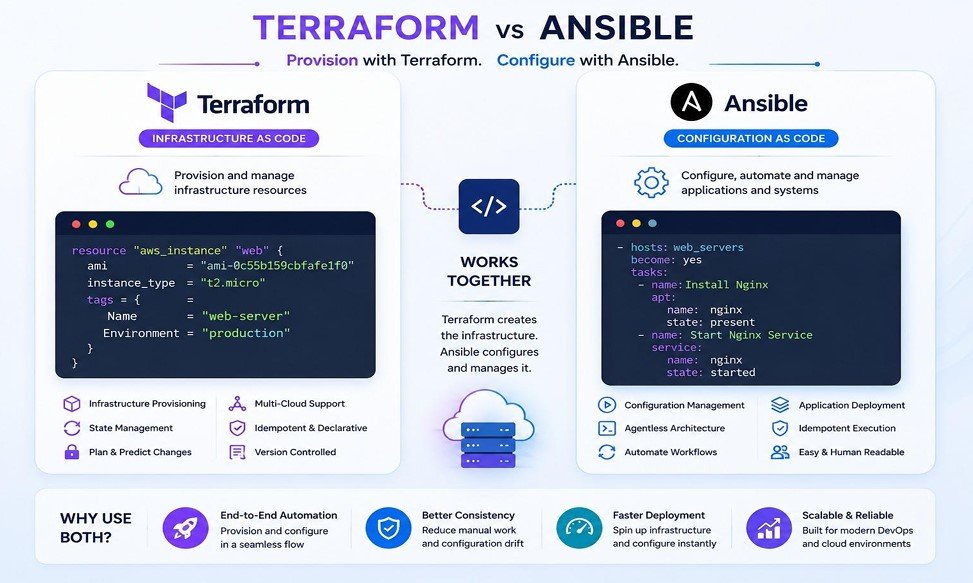
Infrastructure as Code allows engineers to define infrastructure through configuration instead of manually creating every resource.
Important tools include:
- Terraform
- AWS CloudFormation
- Ansible
Terraform can be used to define cloud infrastructure, while Ansible can automate configuration and operational tasks.
AI can accelerate these workflows by helping generate templates, explain configuration files, identify errors, and suggest improvements.
However, understanding the underlying infrastructure concepts remains essential.
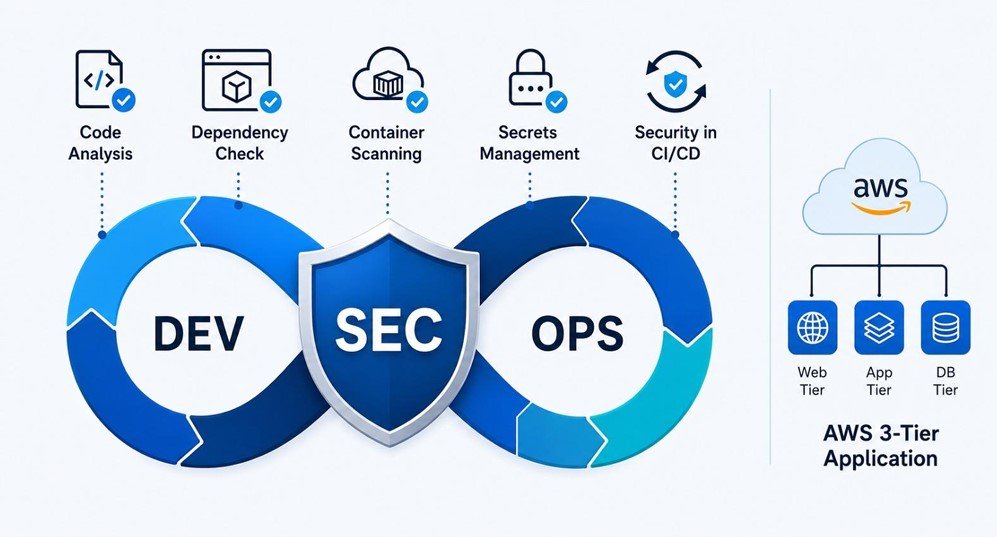
Step 10: Learn DevSecOps
Security should not be treated as something that happens only after deployment. Modern DevOps workflows increasingly integrate security into development and deployment processes.
Learn about:
- Code quality analysis
- Dependency security
- Container vulnerability scanning
- Secrets management
- Secure CI/CD pipelines
- Infrastructure security
AI can assist with identifying potential security concerns, but qualified professionals should always review security decisions.
Step 11: Learn Monitoring and Observability
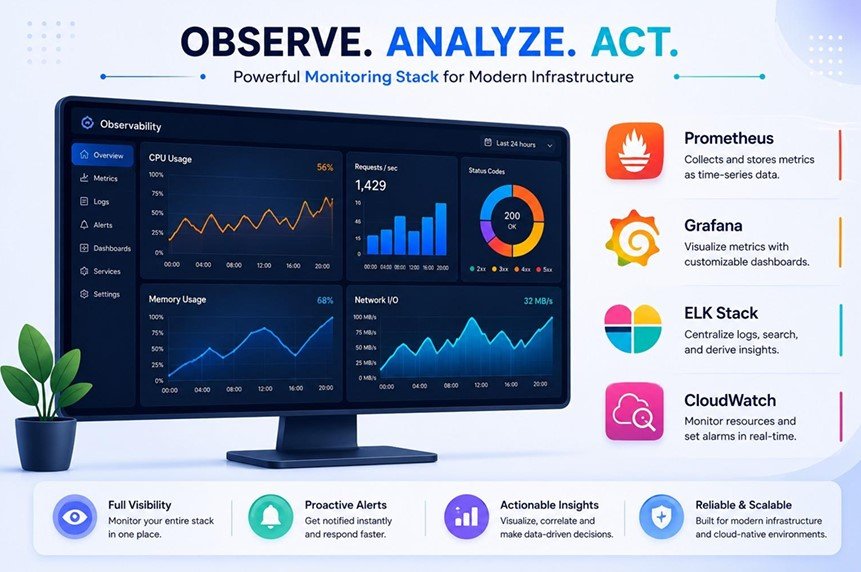
Deploying an application is only one part of DevOps. Engineers also need to understand what happens after deployment.
Popular monitoring and observability technologies include:
- Prometheus
- Grafana
- ELK
- Datadog
- AWS CloudWatch
Learn how to work with metrics, logs, dashboards, alerts, application performance, and incident investigation.
Step 12: Learn Generative AI for DevOps
This is where the traditional DevOps roadmap evolves into an AI DevOps Engineer Roadmap 2026.
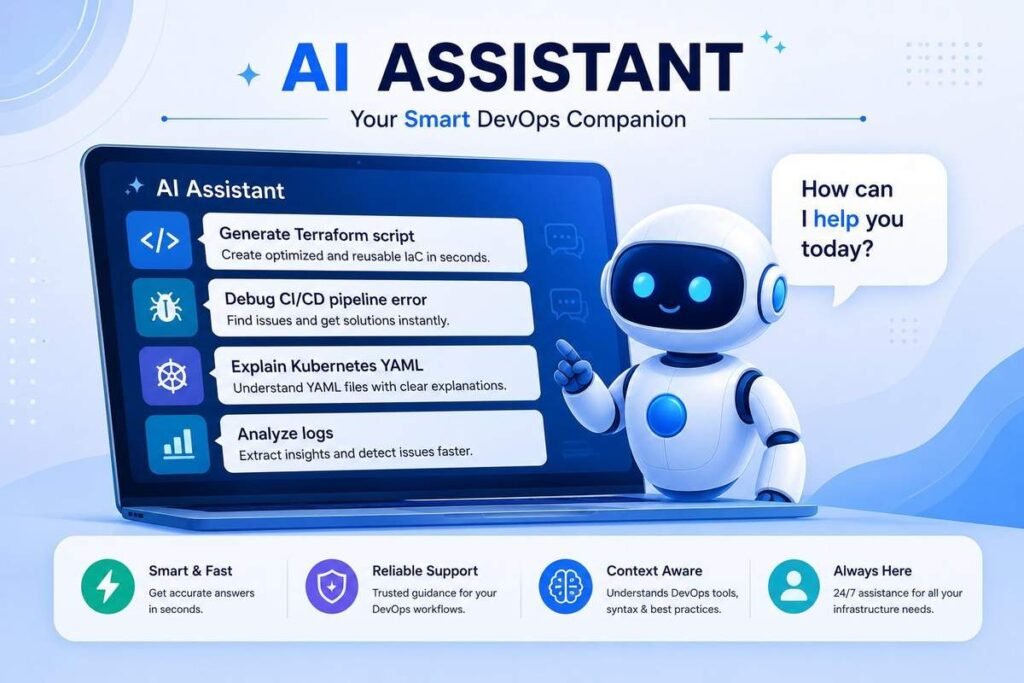
Future-ready DevOps professionals should understand how AI tools can support everyday engineering tasks.
Important AI tools include:
- ChatGPT
- GitHub Copilot
- Amazon Q
- AI-powered monitoring solutions
These tools can assist with:
- Code generation
- Automation scripting
- Infrastructure as Code
- CI/CD pipelines
- Debugging
- Log analysis
- Documentation
- Cloud troubleshooting
Learning Generative AI for DevOps is therefore becoming an important addition to traditional cloud and automation skills.
AI DevOps Tools to Learn in 2026
A modern AI DevOps Engineer may work across a broad technology stack. Instead of trying to master everything simultaneously, focus on understanding how the tools connect.
Version Control
- Git
- GitHub
CI/CD
- Jenkins
- GitHub Actions
- GitLab CI/CD
Cloud
- AWS
- Microsoft Azure
- Google Cloud Platform
Containers
- Docker
- Kubernetes
- Helm
Infrastructure as Code
- Terraform
- CloudFormation
- Ansible
Monitoring
- Prometheus
- Grafana
- ELK
- Datadog
Generative AI
- ChatGPT
- GitHub Copilot
- Amazon Q
The goal is not simply to collect knowledge of tools. The goal is to understand how these technologies work together to build, deploy, monitor, secure, and manage modern applications.
What Skills Should an AI DevOps Engineer Have?
A successful AI DevOps Engineer needs a combination of technical and problem-solving skills.
Important AI DevOps Engineer skills include:
- Linux administration
- Networking fundamentals
- Python and scripting
- Git and version control
- AWS cloud computing
- CI/CD automation
- Docker
- Kubernetes
- Infrastructure as Code
- Monitoring and observability
- DevSecOps
- Generative AI tools
- Prompt engineering
- Troubleshooting
- Problem-solving
AI can accelerate many technical workflows. However, strong fundamentals remain important because engineers need to understand and validate what AI produces.
AI DevOps Projects You Should Build
Knowing tools is useful, but DevOps projects demonstrate whether you can actually apply those tools.
Practical projects can also strengthen your portfolio and help you explain your technical experience during interviews.
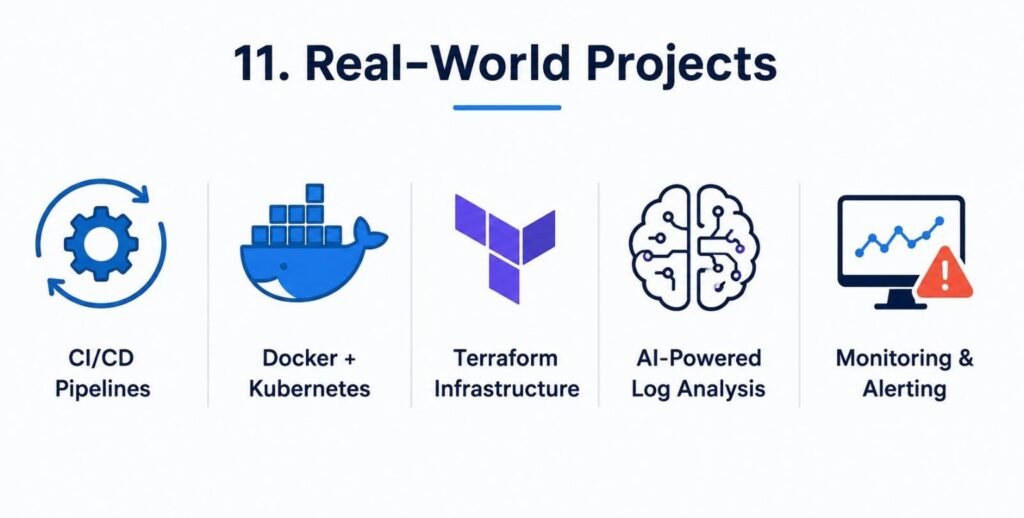
Project 1: AI-Assisted CI/CD Pipeline
Build a CI/CD pipeline using Jenkins or GitHub Actions.
Use AI tools to assist with:
- Pipeline configuration
- Debugging
- Documentation
- Optimization
- Error analysis
This project demonstrates your understanding of automation and AI-assisted DevOps workflows.
Project 2: AWS Infrastructure Using Terraform
Create AWS infrastructure using Terraform.
Define resources through code and practice:
- Infrastructure provisioning
- Configuration management
- Repeatable deployments
- Cloud automation
This project helps demonstrate your AWS and Infrastructure as Code knowledge.
Project 3: Docker and Kubernetes Deployment
Containerize an application using Docker and deploy it to Kubernetes.
Practice:
- Docker images
- Containers
- Deployments
- Services
- Configuration
- Scaling
- Troubleshooting
Project 4: AWS EKS Deployment
Build a containerized application deployment using Amazon EKS.
Connect:
- Container images
- Kubernetes resources
- Networking
- Monitoring
- Deployment automation
This provides practical exposure to cloud-native DevOps environments.
AI-Powered DevOps Projects
Project 5: AI-Powered Log Analysis
Create a workflow where AI assists with analyzing application or infrastructure logs.
The system can help:
- Identify possible issues
- Summarize incidents
- Explain error messages
- Suggest troubleshooting steps
Project 6: Intelligent Monitoring and Incident Detection
Build a monitoring workflow using tools such as Prometheus and Grafana.
Then explore how AI can support:
- Anomaly detection
- Incident analysis
- Operational recommendations
- Root-cause investigation
These projects demonstrate how Generative AI, monitoring, automation, and DevOps can work together in practical environments.
What Employers Look for in AI DevOps Engineers
Employers increasingly value practical skills rather than theoretical knowledge alone.
A candidate should be able to demonstrate an understanding of how to:
- Build CI/CD pipelines
- Deploy applications on AWS
- Work with Docker and Kubernetes
- Automate infrastructure with Terraform
- Use Infrastructure as Code
- Integrate AI into technical workflows
- Monitor production systems
- Troubleshoot operational problems
Hybrid skills that combine cloud, automation, DevOps, and AI can help professionals adapt to modern technology environments.
AI DevOps Engineer Career Path
Once you build a strong foundation across cloud, automation, containers, infrastructure, monitoring, and AI, several career paths may become available.
DevOps Engineer
Designs and manages automated software delivery workflows.
Cloud Engineer
Builds and manages cloud infrastructure and services.
AWS DevOps Engineer
Works with AWS infrastructure, automation, CI/CD, and cloud-native technologies.
Site Reliability Engineer
Focuses on system reliability, scalability, availability, and performance.
Platform Engineer
Builds internal platforms and automation systems that help development teams deliver and operate applications efficiently.
DevSecOps Engineer
Combines development, operations, and security practices to build secure and automated software delivery workflows.
Cloud Operations Engineer
Supports cloud infrastructure, monitoring, operations, and automation.
Infrastructure Automation Engineer
Uses Infrastructure as Code and automation technologies to manage scalable infrastructure environments.
What a Practical AI DevOps Learning Path Should Include
A career-focused AI Powered DevOps Course with AWS should ideally include:
- AWS Cloud Computing
- Linux and networking
- Python and automation
- Git and GitHub
- CI/CD pipelines
- Docker and Kubernetes
- Terraform and Infrastructure as Code
- Monitoring and observability
- DevSecOps
- Generative AI tools
- Real-world projects
- Career preparation and placement support
This combination provides learners with exposure to the major areas involved in modern cloud and DevOps environments.
Start Building Your AI DevOps Career
The future of DevOps is increasingly connected with cloud computing, automation, intelligent monitoring, and Generative AI.
Learning these areas together can help professionals understand both the technical foundations of modern infrastructure and the AI tools being integrated into engineering workflows.
If your goal is to become an AI DevOps Engineer, focus on building skills rather than simply collecting certifications.
Learn the fundamentals, practice with real cloud environments, build projects, understand how DevOps tools work together, and gradually integrate AI into your workflow.
For learners looking for a structured path combining AWS, DevOps, Cloud Computing, Kubernetes, CI/CD, Infrastructure as Code, and Generative AI, an AI-focused DevOps program can provide a career-oriented learning option.
Ready to Build Your AI DevOps Career?
If you want to develop practical skills in AWS, DevOps automation, Docker, Kubernetes, Terraform, CI/CD, and Generative AI, a structured learning program can help you progress from fundamentals to real-world projects.
Explore the AI Powered Masters Program in DevOps with AWS to build practical cloud and DevOps skills through hands-on learning and real-world projects.
Take the next step toward becoming a future-ready AI DevOps professional.
Conclusion
The AI DevOps Engineer Roadmap 2026 is built around a combination of traditional DevOps fundamentals and modern AI capabilities.
Start with Linux, networking, Python, and Git. Then progress into AWS, CI/CD, Docker, Kubernetes, Terraform, monitoring, and security.
Once these foundations are strong, add Generative AI tools such as ChatGPT, GitHub Copilot, and Amazon Q to your workflow.
Most importantly, build real projects. Practical experience helps connect individual technologies into a complete software delivery and infrastructure workflow.
The strongest AI DevOps professionals will not simply know how to use AI tools. They will understand cloud infrastructure, automation, software delivery, containers, Infrastructure as Code, monitoring, security, and AI-assisted workflows—and know when and how to apply them.
That combination can provide a strong foundation for a long-term career in DevOps, Cloud Engineering, SRE, Platform Engineering, DevSecOps, and AI-powered infrastructure.
Comments are closed